SSO permission for Cloudera Viz in CDW+CML
- 1. Introduction to the test environment
- 2. Preparation for test environment
- 3. Viz in CDW test
- 4. Viz in CML test
- 5. Conclusion
- SSO will be enabled for Cloudera Viz after being launched as an application within CML or an instance within CDW. SSO users will have various types of roles:
| Role Type | Role Name | Description |
| Environment role | MLUser/MLAdmin/DWUser/DWAdmin | Provide permissions to perform tasks on a specific resource, such as a CDW virtual warehouse/CML workspace |
| CML workspace role | Owner/Contributor/Operator/Viewer | Restrict Access to CML Project/Session/Job |
| Viz role | System Admin/Database Admin/Analyst/Visual Consumer | Restrict Access to Viz connection/dataset/dashboard |
- Note: There are no CDW-related roles, however Viz in CDW is actually restricted by built-in groups as following:
| Group Type | Description |
| user groups | The Non-Administrator user group specified when deploying CDV instance |
| admin groups | The Administrator user group specified when deploying CDV instance |
- This topic will show you how to effectively combine these roles and user groups.
1. Introduction to the test environment
| CDP Runtime version | CDP PvC Base 7.1.7 SP2 |
| CM version | Cloudera Manager 7.9.5 |
| ECS version | CDP PvC DataServices 1.5.0 |
| OS version | Centos 7.9 |
| K8S version | RKE 1.21 |
| Whether to enable Kerberos | Yes |
| Whether to enable TLS | Yes |
| Auto-TLS | Yes |
| Kerberos | FreeIPA |
| LDAP | FreeIPA |
| DB Configuration | PostgreSQL 10.21 |
| Vault | Embedded |
| Docker registry | Embedded |
| Install Method | Internet |
2. Preparation for test environment
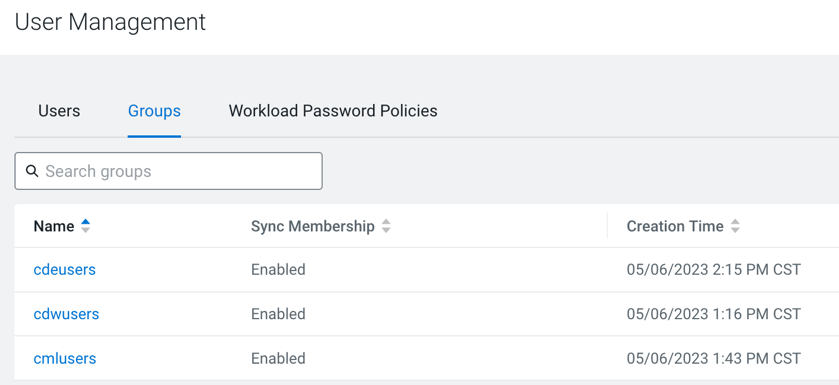
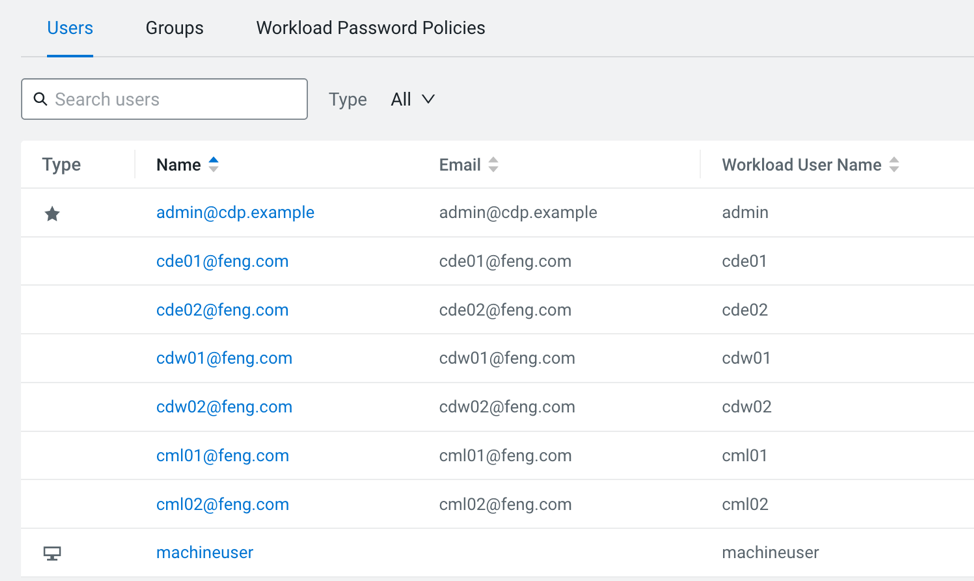
- Let’s add three LDAP user groups, i.e.
cdwusers,cmlusers,cdeusers, each group contains 2 users. Please select theSync Groups on Loginoption from Management Console > Administration > Authentication, so that the associated LDAP groups can be imported when you log in to CDV.
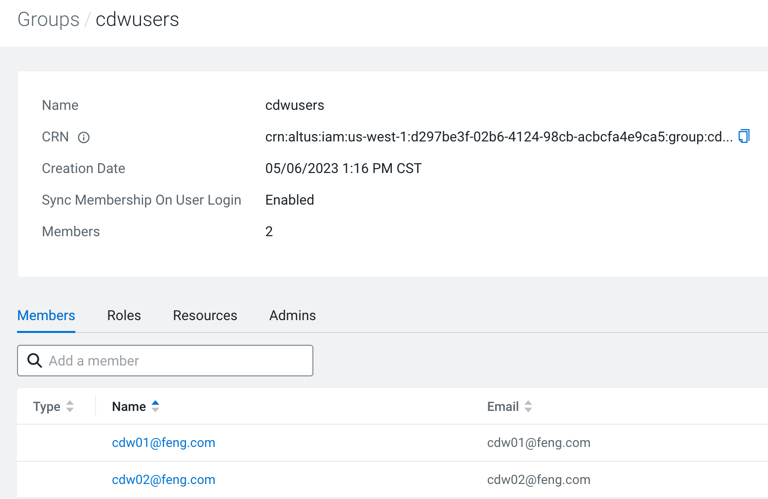
- For example: group
cdwuserscontains two userscdw01andcdw02.
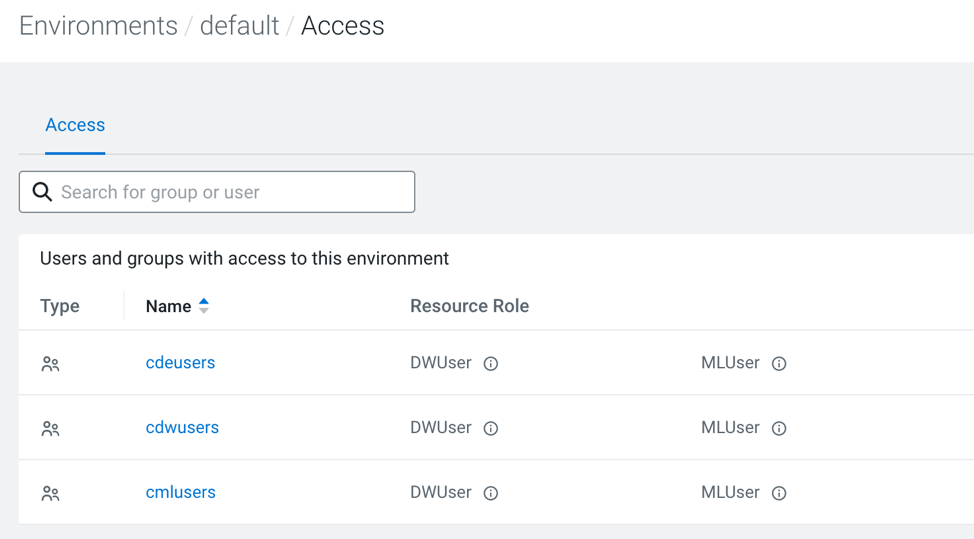
- Assign the Environment role
DWUser+MLUserto all three groups.
3. Viz in CDW test
- The cdv application is created by the user
admin, with the group settinguser groups=cmlusers, andadmin groups=cdwusers.
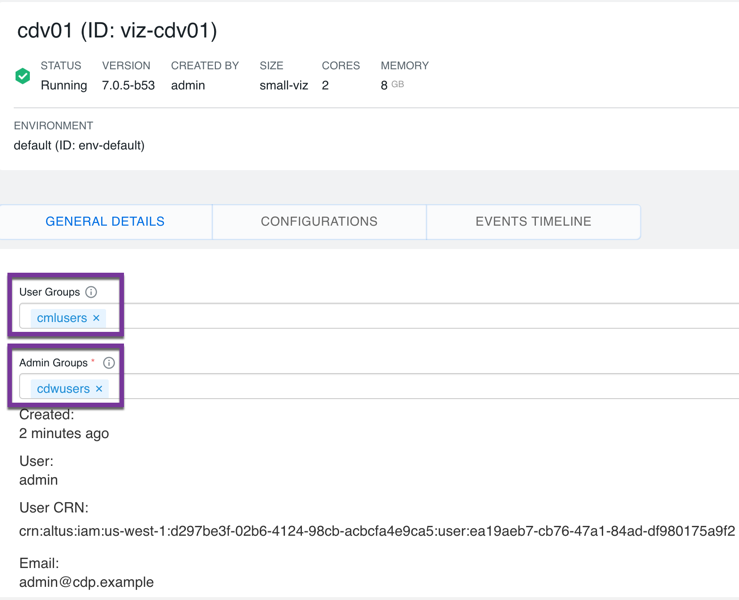
- Log in as
admin, even ifadminis the project owner, you still cannot log in to CDV UI becauseadminneither belongs touser groupsnoradmin groups.

- Log in as
cdw01, you can see the site administrator menu sincecdw01belongs toadmin groups.
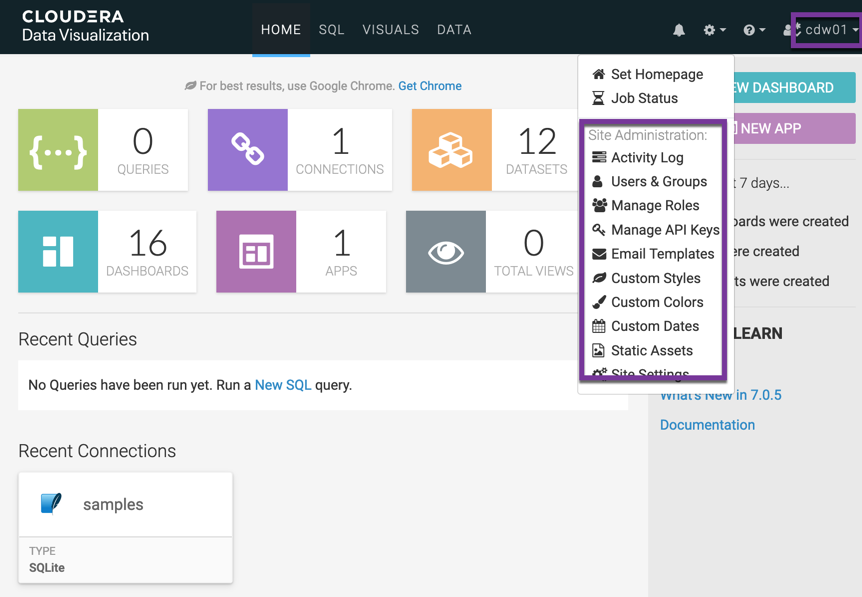
- Log in as
cml01, you cannot see the site administrator menu sincecml01belongs touser groups.
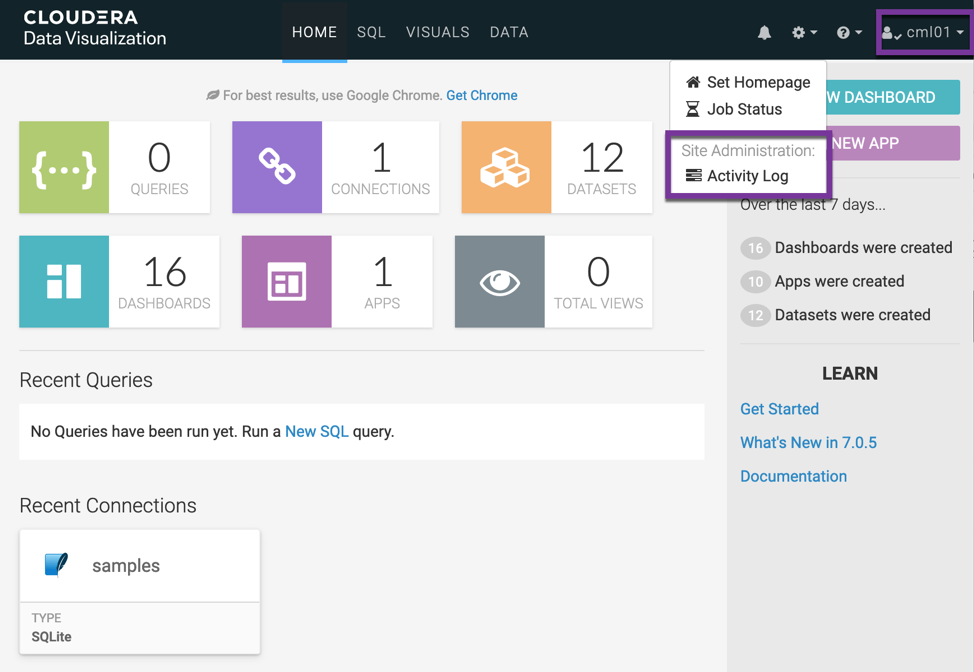
- Log in as
cde01. you cannot log in to the CDV UI sincecde01does not belong to eitheruser groupsoradmin groups. usercde01andadminhave the same behavior.
- Log in again as
cdw01, and view user and user group permissions.- It shows that
cdw01is Viz Administrator, and cml01 is Viz Normal Permissions user.
- It shows that
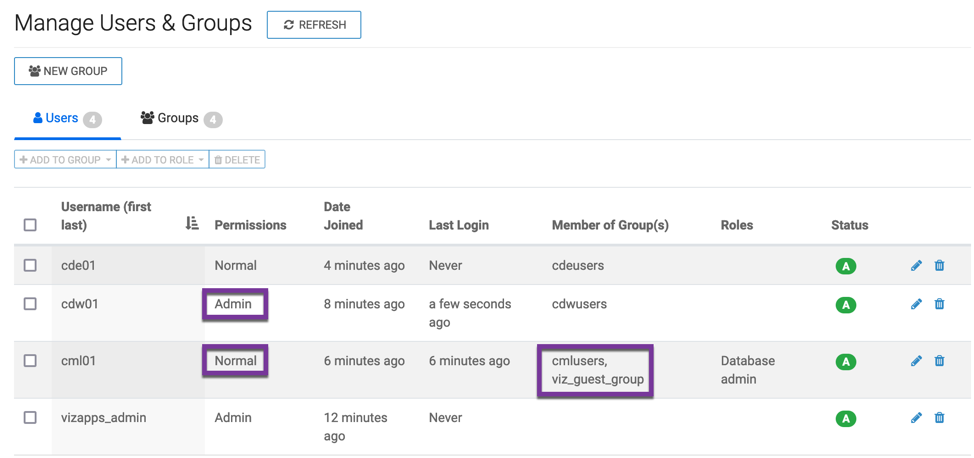
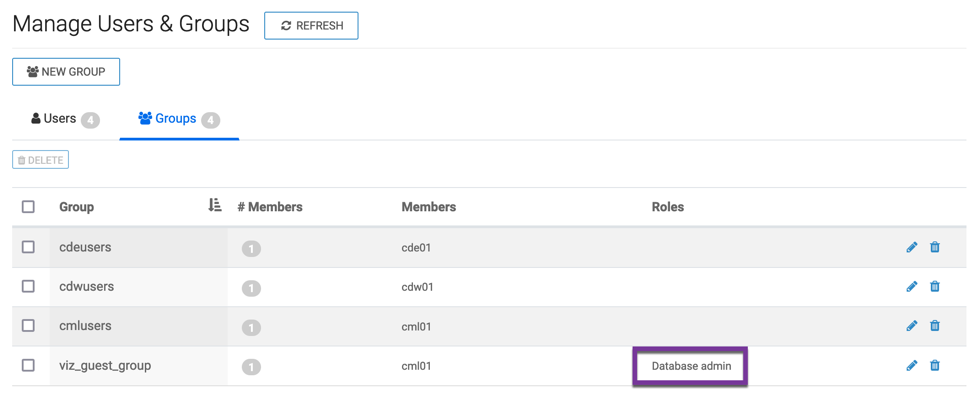
- The Normal Permissions user
cml01is automatically assigned to the groupviz_guest_groupwhich has the roleDatabase admin. This can be confirmed from the figure below.
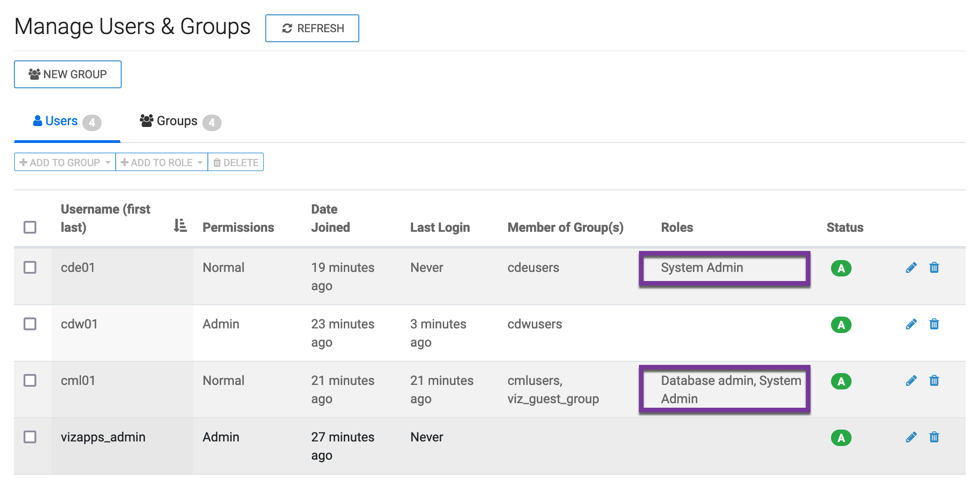
- Manually assign the role
system admintocde01andcml01:
- Log in as
cde01, you still can’t access CDV UI:
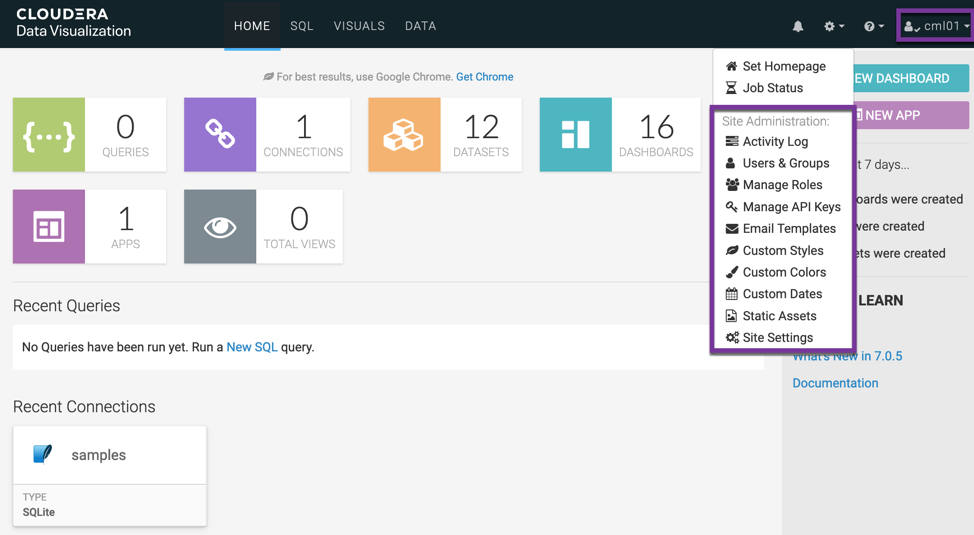
- Log in as
cml01, you can see the site administrator menu althoughcml01is a Viz Normal Permissions user.
4. Viz in CML test
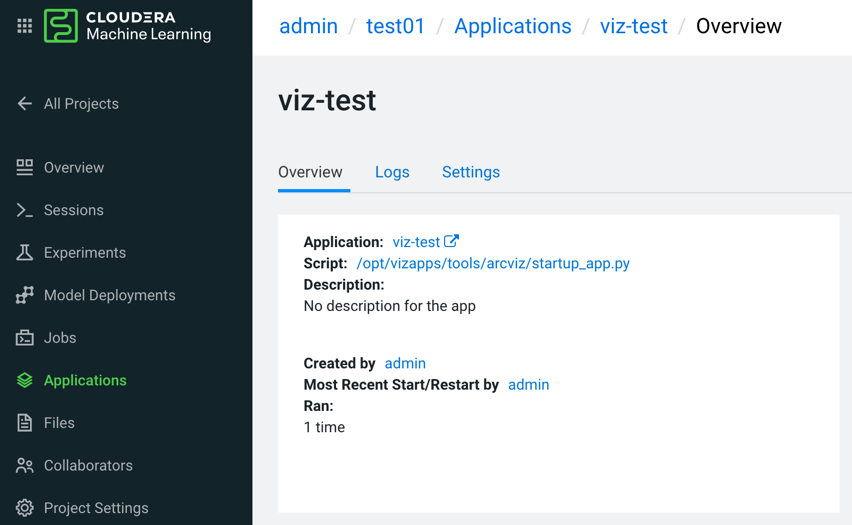
- The cdv application is created by the user
admin.
- Since the CDV application belongs to the project
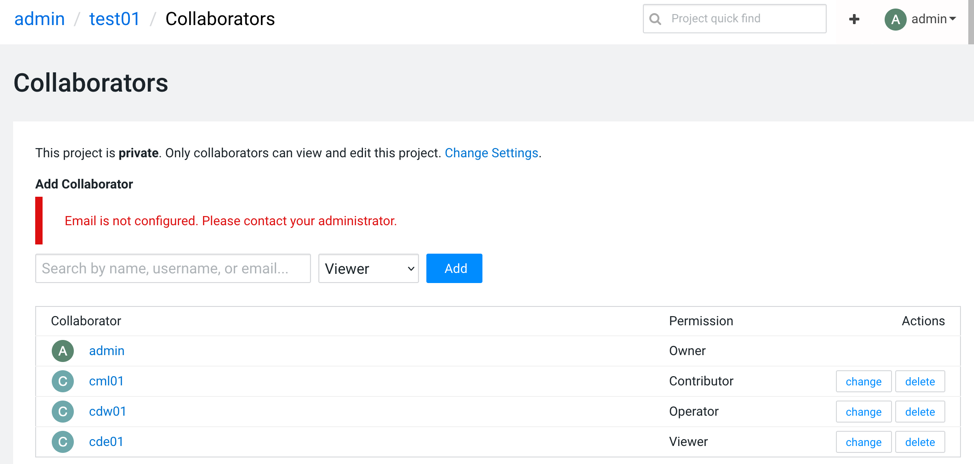
test01, it can only be accessed by the project owneradmin. The other users(cdw01,cml01,cde01) must be added as project collaborators.
- Log in as
adminand it is only a Viz Normal Permissions user.
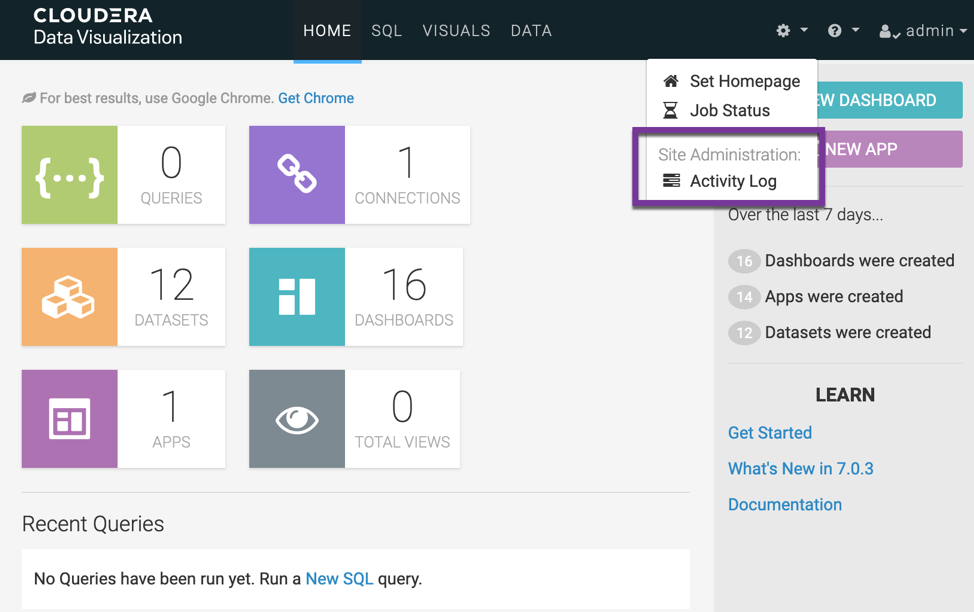
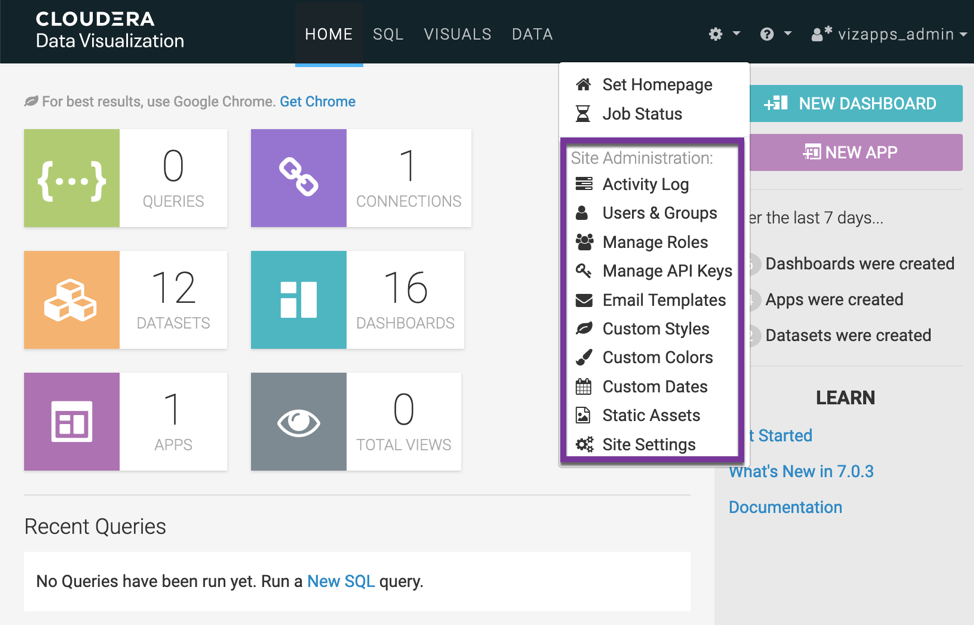
cdw01/cml01/cde01are also the Viz Normal Permissions users and cannot see the Site Administration menu.Log in as the built-in administration user
vizapps_admin(password=vizapps_admin) and view all user and user group permissions.
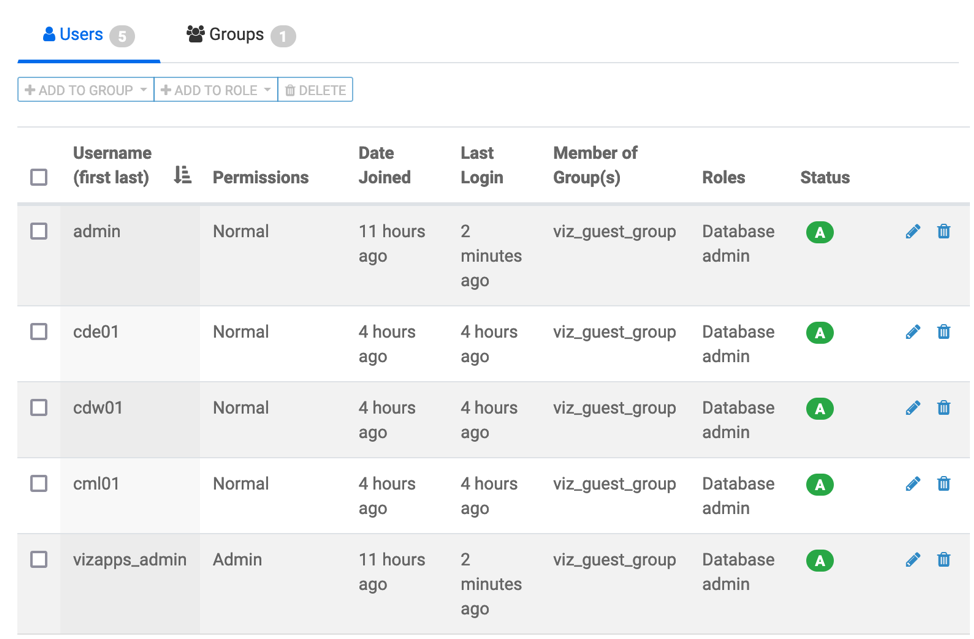
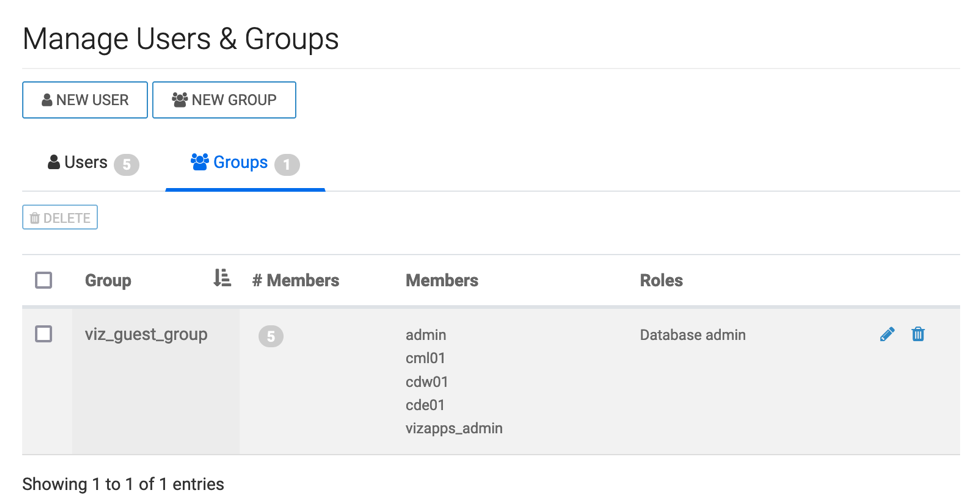
- Every users are automatically assigned to the group
viz_guest_group, which has the roleDatabase admin. This can be confirmed from the following figure.
- Manually assign the role
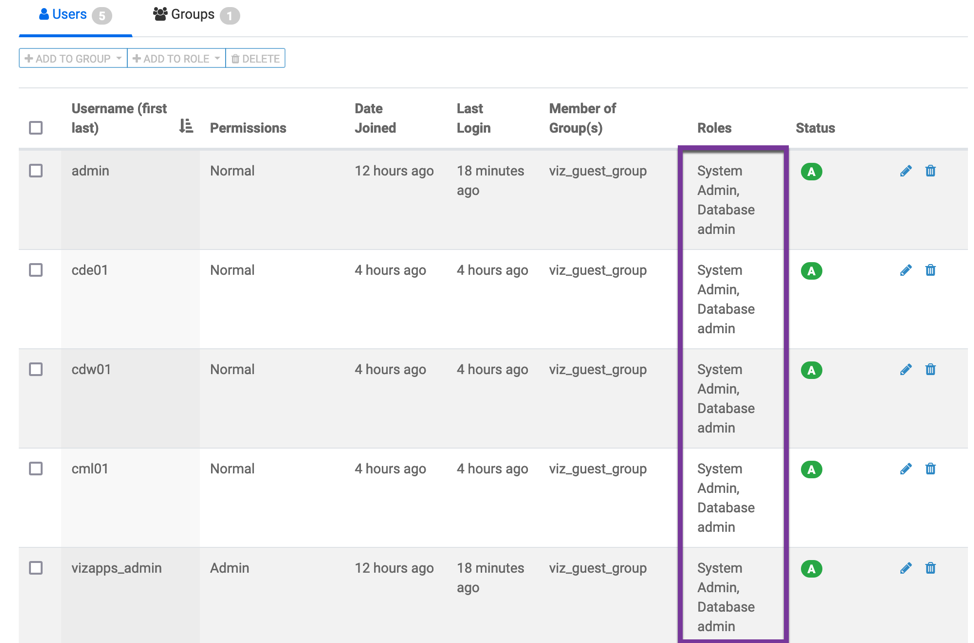
system adminto the groupviz_guest_group:
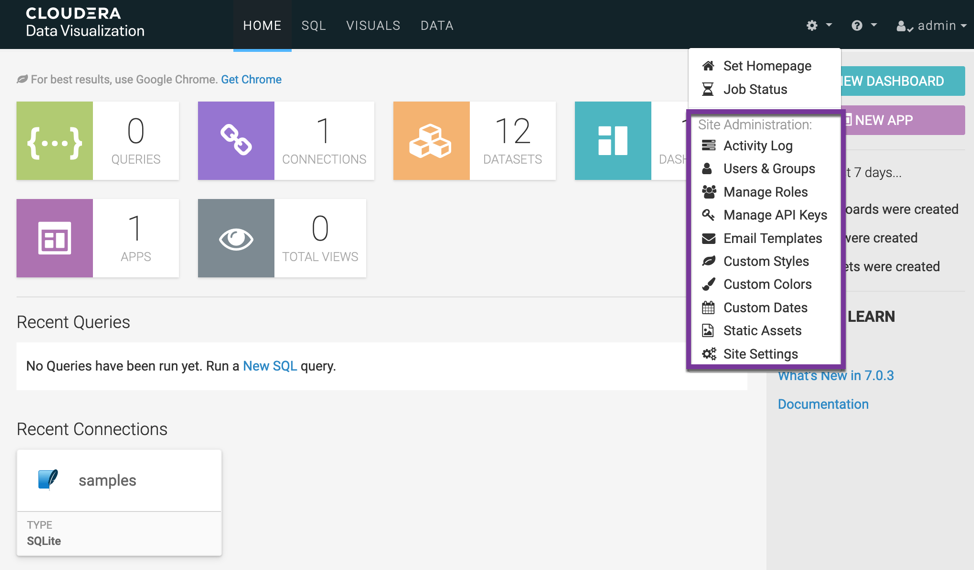
- User
Admincan see the Site Adminsitration menu now.
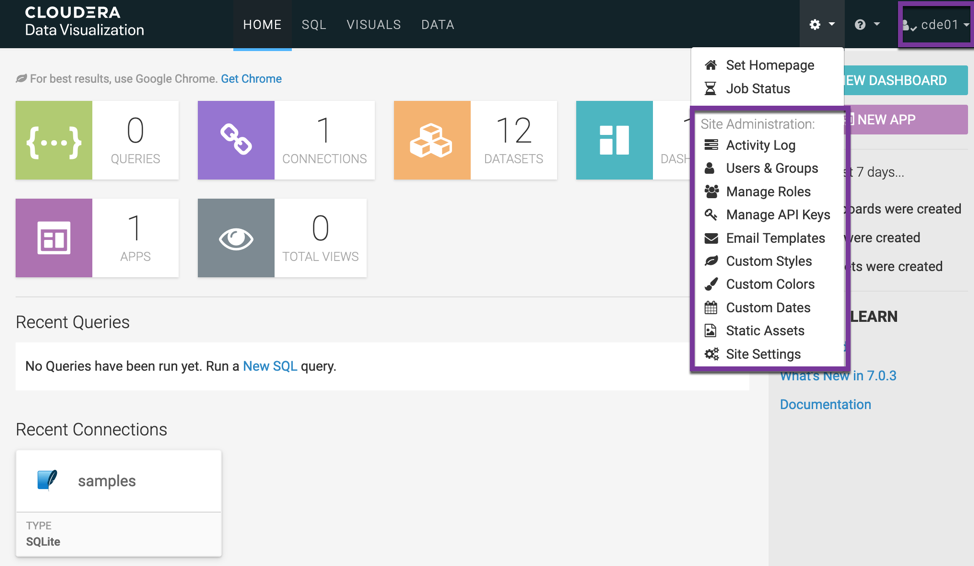
- Other users(such as cde01) become Viz administrator as well.
5. Conclusion
CDV is not a standalone application/instance and it is currently parasitic on CDW/CML, so the logged-in user is also an SSO user of CDW or CML.
- For Viz in CDW:
- SSO users must have permission to access CDW resources, i.e. they need to be assigned the role
DWUser/DWAdmin. - SSO users are filtered by
user groupsandadmin groupsin the definition of CDV instance.- If the SSO user belongs to
admin groups, it will automatically become a Viz administrator. - If the SSO user belongs to
user groups, it is automatically assigned to the groupviz_guest_groupwhich has roleDatabase Admin. You can grant them other Viz permissions through Viz Administrator. - The SSO Users outside these groups cannot access the Viz application, and Viz permissions are invalid for them.
- If the SSO user belongs to
- SSO users must have permission to access CDW resources, i.e. they need to be assigned the role
- For Viz in CML:
- SSO users must have permission to access CML resources, i.e. they need to be assigned the role
MLUser/MLAdmin. - If the SSO user is not the project owner, it must be the project collaborator to have access to the Viz application.
- The SSO users are automatically assigned to the group
viz_guest_groupwhich has roleDatabase Admin. You can grant them other Viz permissions through Viz Administrator.
- SSO users must have permission to access CML resources, i.e. they need to be assigned the role